URBAN DASHBOARDStage 3 Proof of concept

PRODUCT KNOWLEDGE. SALES POSSIBILITIES.

Your workspace
for the furniture sale

Bring product information into your sales process.

The Urban Dashboard is being developed to help you curate furniture ranges, explore ideas with clients, present proposals and prepare quotations in one connected workspace.

Explore what you could do

A preview of the planned Stage 3 applications.

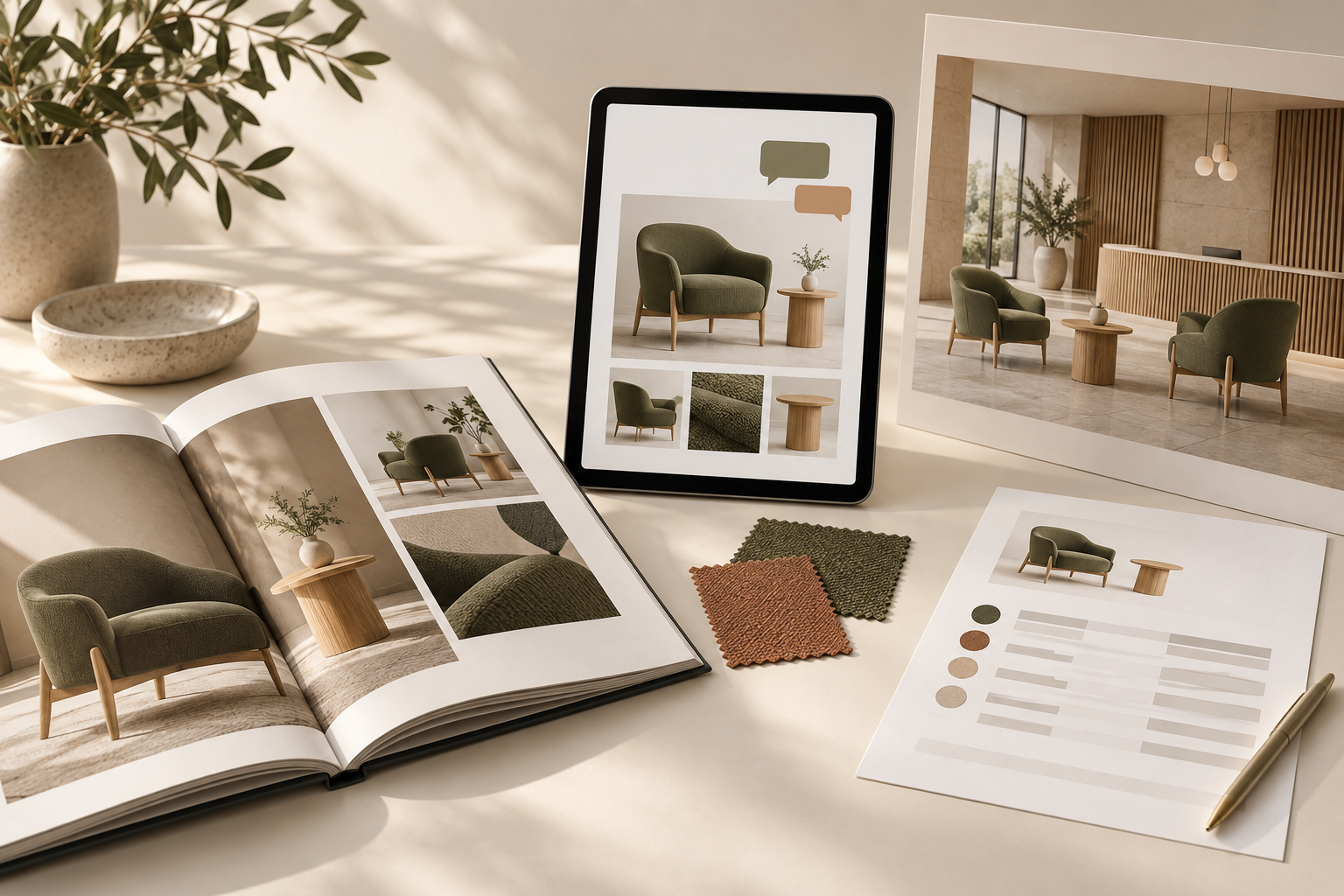
Illustrative furniture sales assets: an open catalogue, a tablet with client feedback, a reception presentation and a quotation sheet featuring a consistent chair and table selection.
Illustrative sales assets

The PIM provides the product information.
The Dashboard gives you tools to put it to work.

Information → Application

START WITH THE SALE

What would you like to do?

Start with the task in front of you. You might be introducing your range, exploring a brief or preparing a proposal for a client who already knows what they need.

01Build a Catalogue

Show a furniture range

Curate a catalogue for your business, a client or a project. Choose relevant products, organise the selection and present it with your branding.

IN YOUR SALES PROCESS

A selection of reception furniture to introduce to a new client.

02Look-Book

Explore ideas with a client

Use a Look-Book to start the conversation. Present options, capture reactions and refine the selection as you learn what matters to the client.

IN YOUR SALES PROCESS

“I like this chair. Could we look at a softer upholstery colour?”

03Pitch Deck

Present a furniture proposal

Bring your recommendations together in a Pitch Deck. Use a presentation, product sheets and sample room layouts to explain how the selection could work.

IN YOUR SALES PROCESS

A reception proposal the client can take into their next team meeting.

04Quotations

Prepare a client quotation

Bring selected products, configurations and quantities into a quotation. The planned tools will guide you through the choices and commercial details needed to prepare it.

IN YOUR SALES PROCESS

A quote for the preferred chairs and tables in the agreed finishes and quantities.

ONE PROJECT. A DEVELOPING CONVERSATION.

See how the tools could work together

Imagine a client is furnishing a reception area. The same selection could develop across the Dashboard as the conversation progresses.

Reception refresh

Illustrative sales journey
  1. RECEPTION COLLECTION
    Catalogue example showing reception furniture
    01 · CATALOGUE

    Introduce possibilities

    Put together a catalogue of furniture that could suit the space.

  2. LOOK-BOOK / RECEPTION
    “I like this chair. Could we explore a softer upholstery colour?”
    Softer tone
    to explore
    02 · LOOK-BOOK

    Understand the preference

    Discuss the options and record what the client likes, what needs to change and what is still undecided.

  3. RECEPTION REFRESH
    Your furniture proposal
    01 Preferred furniture
    02 Softer upholstery palette
    03 Sample room layout
    03 · PITCH DECK

    Explain the proposal

    Prepare a Pitch Deck showing the preferred furniture and why you recommend it.

  4. QUOTATION DETAILS
    FurnitureChairs + tables
    UpholsteryChosen soft tone
    QuantitiesTo confirm
    PricingTo confirm
    04 · QUOTATION

    Confirm the details

    Resolve finishes, quantities and pricing to prepare a client quotation.

You could enter at any point. A clear product request might go straight to quotation; an open brief might begin with a Look-Book.

THE CONTENT BEHIND THE CONVERSATION

Built on the product information in the PIM

Product images, descriptions, dimensions and available options provide the starting point. In the Dashboard, you would add the context of the sale: the client’s brief, your selection, their feedback and the details of your proposal.

The aim is to carry the selection forward as the sale develops, so you can spend more time working with the client and less time assembling the same information again.